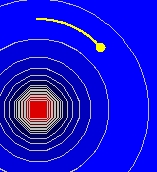
Screen shot of the test
charge in a scalar field.
Electric Potential Trajectory
Wrong Model
The EJS Electric Potential
Trajectory
Wrong
model shows a test charge in an external electrostatic
potential and the associated electric field. The user can type
in an expression for the potential and see the (incorrect) trajectory
of the particle. Users
can examine and correct the model if
Ejs is
installed.
Exercises:
- Run
the simulation. The plot correctly shows the potential and electric
field. The initial potential: U(x,y)=-1/(x*x+y*y)^(0.5) is the
potential
due to a negative point charge at the origin. Show how to get into the
form
you are more familiar with. You can type new values of the potential as
a function of x
and y
in the input box and you can try new initial conditions and observe the
motion.
- Even though
the plot of the potential (and equipotential contours) as well as the
electric field vectors are correct, the trajectory of the yellow
charged test particle*
is incorrect. Push the reset
button and then start the model and
observe what happens. What should happen?
Why?
- If you need help, click on
the energy
plot
check box which shows a plot of kinetic and potential energy (correctly
calculated) for the particle. What is wrong? What is your
evidence? You may want to analyze the energy data using Data
Tool, the built-in data
analysis tool (click on the Wrench
button). Some
notes on using DataTool:
- DataTool
automatically draws lines between nearby points and you may find this
confusing so you can click on the checkbox with a line through it to
remove the connecting lines.
- You can use Data Tool
to create plots of mathematical functions of the current data (adding
two columns together, for example). Click on Data Builder
to create a new column of data by adding a Data Function and entering a
new expression (like KE+PE).
- DataTool
can provide a Fit
to the data in the first two columns. You may need to drag the columns
around in order to fit data of interest.
- If you want DataTool
to Fit
the data to an equation not in the list, you will need to edit the
current equation in Fit
Builder by double-clicking on the equation and editing
it.
- Once you think you know what
is going on, pick a different expression for the potential (one in
which you
know what should happen) and observe the trajectory and explain what is
wrong. What is wrong with this
simulation? What is your evidence?
- If you have EJS
installed, now that you have
determined what is wrong with the model, correct it. You will
need to go
to Model->Evolution
to make the
changes. Describe how you changed it and how you verified your work.
Once corrected, describe what happens for the given initial conditions.
*Recall
that a test charge
is defined to feel the effects of an external electric field, but not
change the field itself (therefore, there are no field vectors around
it).
- Advanced: If the moving
charge isn't a "test charge," but instead a real accelerating charge,
it should (with the initial conditions), spiral into the center
(still not in the way it is calculated in this model). Why? Why was
this a
problem for the Bohr model of the atom?
References:
- Giancoli, Physics
for Scientists and Engineers,
4th
edition, Chapter
23
(2008).
Credits:
The Electric Potential
Trajectory Wrong
Model
was
created by Wolfgang Christian and Anne J. Cox using the Easy
Java Simulations (EJS) authoring and
modeling
tool. Exercises written by Anne J Cox.
You can examine and modify a
compiled EJS model if you run the
program by double clicking on the model's jar file.
Right-click
within the running program and select "Open EJS Model" from the pop-up
menu to copy the model's XML description into EJS. You must,
of
course, have EJS installed on your computer.
Information about EJS is
available at: <http://www.um.es/fem/Ejs/>
and in the OSP ComPADRE collection <http://www.compadre.org/OSP/>.