 |
|
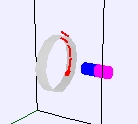
The EJS Moving Magnet Model shows a magnet moving near a conducting loop and the current that is induced in the loop. Users can examine and edit the model if Ejs is installed. Information about EJS is available at: <http://www.um.es/fem/Ejs/> and in the OSP ComPADRE collection <http://www.compadre.org/OSP/>.
The Moving Magnet Model was created by Anne J Cox using the Easy Java Simulations (EJS) authoring and modeling tool.
You can examine and modify a compiled EJS model if you run the program by double clicking on the model's jar file. Right-click within the running program and select "Open EJS Model" from the pop-up menu to copy the model's XML description into EJS. You must, of course, have EJS installed on your computer.
Information about EJS is available at: <http://www.um.es/fem/Ejs/> and in the OSP ComPADRE collection <http://www.compadre.org/OSP/>.